BUILDING & UGC
Creator Pen and Custom Rooms Guide
Checked 2026-11-25 · Source: Steam Store App 4877420 feature specification
Build social hangouts, obstacle courses, PvP arenas, horror maps, and co-op quests inside Rec Room: A New Semester using the built-in Creator Pen and level editor.
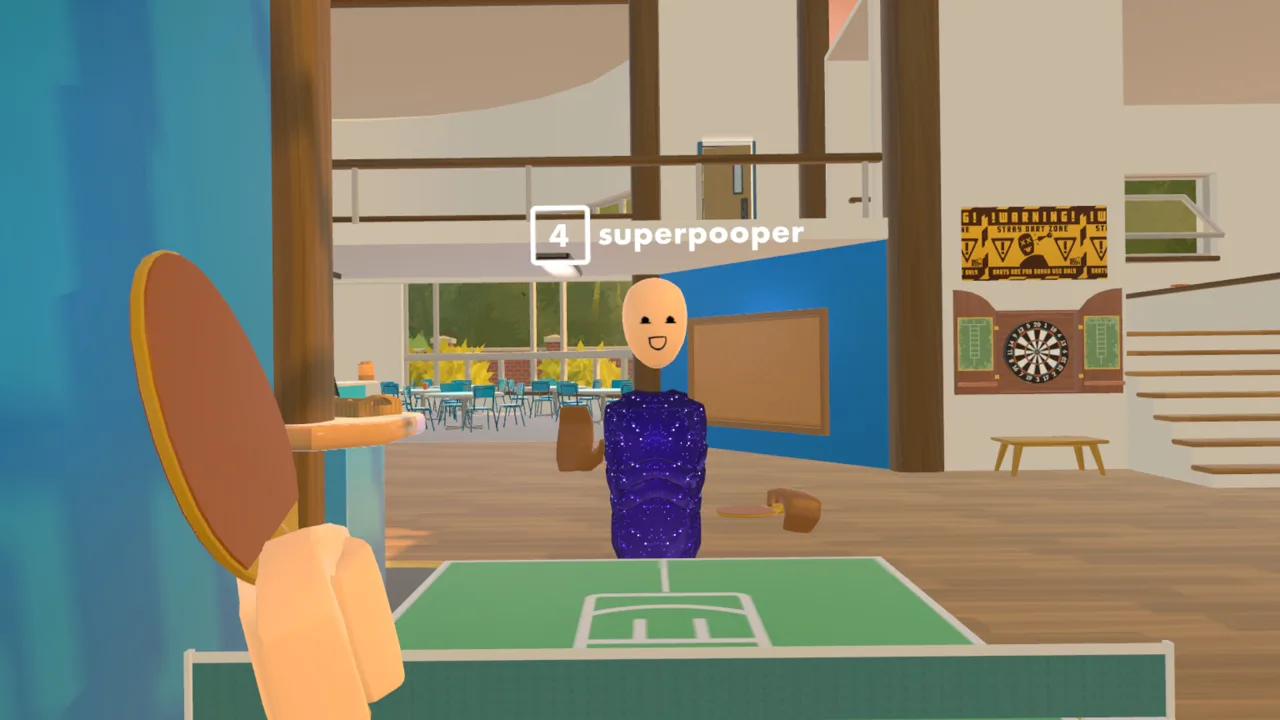
Official Rooms vs Community-Created Rooms
Rec Room: A New Semester splits play into two room layers verified on Steam App ID 4877420:
- Official Rooms: Developer-maintained social hubs led by the Rec Center, featuring basketball courts, ping-pong tables, dartboards, bulletin corkboards, and campus seating areas where players form parties and add friends.
- Community-Created Rooms: User-built worlds published through the integrated level editor and community sharing pipeline (including mod.io community workflows). The Steam listing highlights six core community genres: quests, story adventures, PvP arenas, horror maps, obstacle courses, and casual hangouts.
Core Creator Pen Workflow
Whether you sculpt in 6DoF VR or align geometry with mouse-and-keyboard precision in Screen Mode, efficient room building follows five disciplined stages:
| Stage | Creator Pen Action | Practical Room Tip |
|---|---|---|
| 1. Blockout | Spawn primitive shapes on grid snap | Lock floor heights and doorway clearances first so VR teleport arcs never snag on uneven seams. |
| 2. Scale & Clone | Duplicate modular walls, stairs, and cover | Reuse identical cloned segments for corridors and balconies to keep frame rates steady on Quest headsets. |
| 3. Materials & Palette | Apply color and material swatches | Separate playable lanes from background scenery with clear color contrast—just like the blue-and-cream Rec Center walls. |
| 4. Props & Sightlines | Place interactive props and landmarks | Give every spawn point a clear landmark (scoreboard, hoop, exit doors) so first-time visitors orient immediately. |
| 5. Playtest & Publish | Test in both VR and Screen Mode | Verify jump distances, pickup heights, and doorway colliders across both input modes before sharing publicly. |
Designing Rooms That Play Smoothly on Both VR and Screen Mode
Cross-platform lobbies mean VR headset players and flat-screen desktop players load into the exact same room instance. Prevent frustrating mismatches with three layout rules:
- Sightline & Scale Parity: Keep signs, dartboards, and buttons readable at standing eye level (around 1.5–1.7 meters) so seated VR and desktop cameras frame them cleanly.
- Teleport & Walk Clearance: Avoid ultra-narrow floating platforms that feel trivial with WASD jumping yet punishing with VR teleport arcs unless the map is specifically tagged as a hardcore obstacle course.
- Performance Budget: Test dense rooms against the minimum Steam target (
GTX 970/8 GB RAMfrom our VR and PC requirements guide) so friends on mid-range laptops and Quest Link stay locked at smooth frame rates.
Ink Budgets, Economy & Monetization Status
As of 2026-11-25, Steam Early Access has not yet opened publicly, so exact room ink caps, circuit node limits, and creator economy payouts remain Unverified until Thunderstorm Games publishes official Early Access documentation. Track release milestones on our Codes and Launch Status page and watch live lobby openings on the Steam Player Count tracker.
Frequently Asked Questions
What is the Creator Pen in Rec Room: A New Semester?
The Creator Pen is the in-game building tool listed on Steam App ID 4877420 for spawning, scaling, rotating, coloring, and publishing custom rooms, mini-games, and social hangouts without external coding.
Do my old Maker Pen inventions from original Rec Room transfer over?
No. Original Rec Room (Steam App ID 471710) closed permanently on June 1, 2026, and its cloud inventions are offline. All rooms and assets in Rec Room: A New Semester are created fresh on the independent backend.
Can desktop Screen Mode players build rooms with the Creator Pen?
Yes. Both VR tracked-controller players and mouse-and-keyboard Screen Mode players share access to the Creator Pen and cross-platform rooms.